


Phone Tracker : Family Tracker
4.110.00 Reviews
App Specs
- Version
- 2.7
- Updated On
- License
- Free
- Downloads
- 10,000,000+
- Developer
- Code Cookies
- Categories
- Maps & Navigation
- Platform
- Android
Screenshots
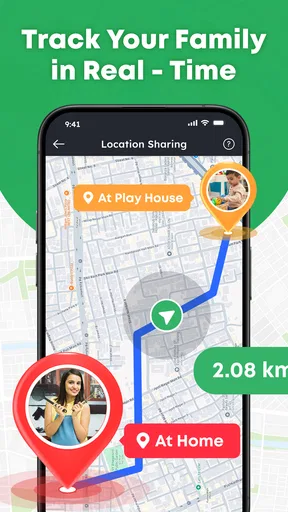
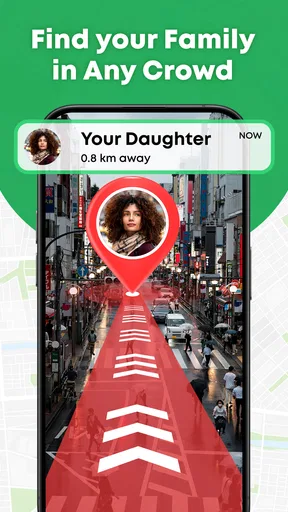
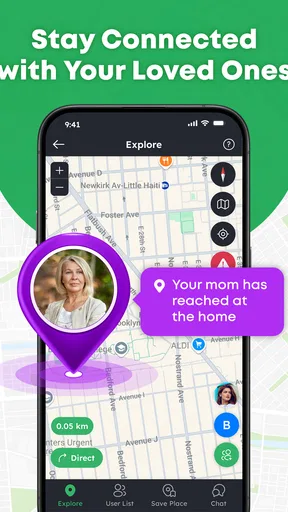
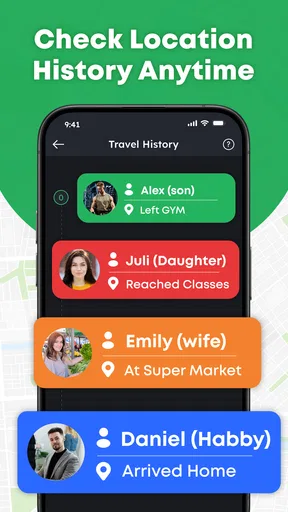
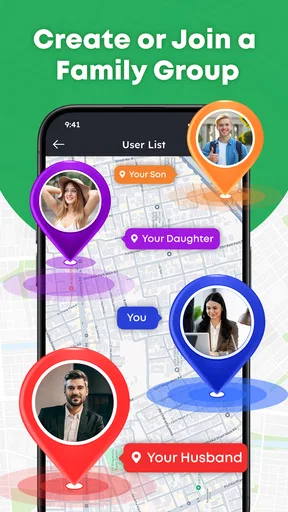
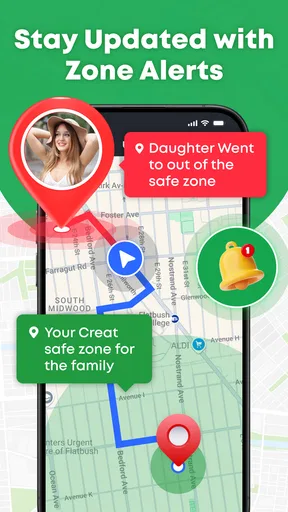
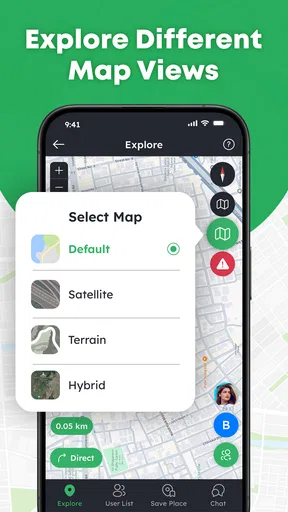
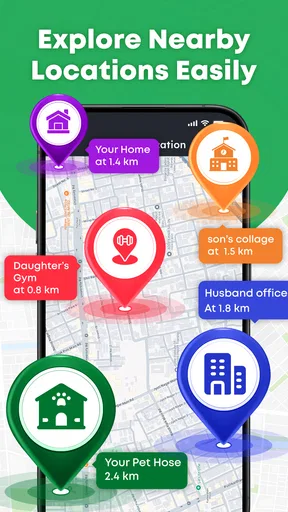
 Analysis by AppCompare
I think a phone-location app is most useful when it answers a simple question at the right moment: has someone reached the place they said they were going, or should I check in? Phone Tracker: Family Tracker is built around that kind of everyday coordination. It puts location sharing on a GPS map, making it easier for friends or family to stay connected without relying on a string of messages. I would treat it as a practical companion for people who already agree to share their whereabouts, not as a substitute for conversation or a guarantee of safety.
Choose a routine that fits the group
Before inviting people, I would decide what the map is meant to make easier. A household coordinating school pickups has a different need from friends trying to find one another before a show. Being specific helps answer practical questions: when is it useful to check, what should happen if someone’s plans change, and when is a message still necessary?
It is also worth agreeing on what the group should do when someone chooses not to share for a while. That conversation prevents a missing marker from becoming an accusation or an unnecessary source of worry. The app works best as a shared convenience, not as a rule that everyone must be visible at all times.
Build a simple, repeatable location-sharing routine
I’d make the routine easy to remember: agree on the occasions when sharing helps, check the map for that purpose, and use a message whenever plans or expectations change. That keeps location information useful without making anyone feel they need to account for every stop. A quick check of the group and sharing choices before a recurring outing can also prevent confusion later.
Start with a clear reason to share
My recommended first step is to agree with the other people involved on when location sharing is useful. A family might use it while someone is traveling home; friends might use it when meeting across town. Keeping the purpose specific helps everyone understand why the app is being used and avoids the uncomfortable feeling of being monitored for no reason.
Once everyone is on the same page, the basic routine is straightforward: open the map when you need to check where a participating person is, then use that information to decide whether to wait, send a message, or adjust your plan. The map is most helpful as a coordination aid. It can save a needless “Where are you?” text, but it does not tell you whether someone is available to talk or explain why they have stopped moving.
A realistic example is meeting a friend at a busy venue. Instead of repeatedly sending updates while navigating the last part of the trip, you can check the shared map and choose a clear meeting point. I find that this works best when people still send a short message if plans change. A location marker offers context; a direct message supplies intent.
Worth Reading Before You Choose

Flipboard Shows What News Apps Must Do Beyond the Feed

Switching to Android Auto Means Rethinking Your Driving Routine

Google Calendar Makes a Crowded Week Easier to Manage

Ludo King Makes the Most of the Minutes Between Plans

Baby Panda World Brings Quick Play to Modern Phones, but Its Game Library Feels Busy

ESPN’s Live Game View Makes Following Close Games Easier
Make the map useful without watching it constantly
There is a temptation with any tracker to keep checking the screen. I would resist that habit. Pick a reason to look—such as coordinating a pickup or checking whether someone has arrived—and then put the phone away again. This keeps the app focused on reducing friction rather than turning ordinary movement into a running commentary.
For a group, it also helps to establish a shared expectation about response. If someone’s position looks unexpected, a quick, considerate message is better than assuming the map explains the situation. People may be busy, their plans may have changed, or a location display may not answer the question you actually have. The app can make a check-in easier, but good communication still does the important work.
Check the choices that affect your comfort
Before making location sharing part of a routine, I would look through the app’s available settings and the phone’s own location controls. Confirm who is included in your sharing circle, what the app is allowed to access, and whether those choices match the purpose you agreed on. This is a better starting point than inviting people first and sorting out boundaries later.
Phone Tracker: Family Tracker is developed by Code Cookies and is a free Maps & Navigation app, with in-app purchases listed from $1.99 to $24.99 per item. That makes it sensible to explore the basic experience before spending anything. I would check what a purchase offers and whether it solves a real problem for your group rather than treating an optional payment as automatically necessary.
The app is rated for Everyone, but an age rating is not a substitute for a family conversation. If children will be involved, explain in plain language what location sharing means and who can see it. For adults, the same principle applies: sharing should be voluntary and understood. A tracker becomes much less useful when people feel pressured to participate or are unsure how to change their choices.
Use a few habits to reduce needless checking
An effective workflow can be surprisingly modest. Decide on the situations where the map is worth opening, use a message for anything that needs an explanation, and revisit the sharing arrangement when the group’s needs change. These habits are more dependable than expecting a map to answer every question on its own.
One non-obvious trade-off is that a shared map can reduce coordination messages while also creating more opportunities to misread silence. If a person is visible on the map but has not replied, that does not necessarily mean they have seen your message. I would keep urgent or time-sensitive communication in a channel people have agreed to monitor, rather than assuming the location view doubles as an alert system.
Another useful habit is to make the map a reference point, not a live audience. If your group only needs to coordinate a particular outing, decide when sharing is relevant and when it is not. This keeps the tool from becoming an always-on expectation and makes it easier to have an honest conversation if somebody wants to stop sharing.
Know where a location map reaches its limits
A phone tracker is only as useful as the information the people involved choose to share and the context they provide. A map cannot tell you whether a person is safe, why they took a different route, or whether they want to be interrupted. If you need those answers, contact them directly. If a situation is urgent, do not rely on a consumer location app as your only response.
I would also avoid treating a displayed position as a precise promise about where someone will be when you arrive. Even when the map is helpful, a person may be moving, making a stop, or changing plans. For pickup coordination, it is wiser to agree on a recognizable meeting point and confirm by message than to drive around trying to match a marker.
The app’s value depends on the group using it willingly and consistently. If one person does not want to share, or if your main need is turn-by-turn directions, a navigation app is a better fit. If you only need to send your position once, a one-time location message may feel simpler and less involved. Phone Tracker makes more sense when a continuing shared map is genuinely useful to the people participating.
How it compares with familiar alternatives
Compared with ordinary texting, a shared GPS map can cut down on repeated location updates, especially when several people are coordinating. Texting remains better for explaining a delay, changing a destination, or asking someone to wait. I see the two approaches as complements: the map gives a quick visual reference, while a message handles nuance.
Compared with a dedicated navigation app, Phone Tracker: Family Tracker is aimed at people staying aware of one another’s locations, rather than at planning a route. If your priority is choosing roads or getting directions to a destination, use a navigation tool designed for that job. If your priority is coordinating with a small circle, a location-sharing app is the more relevant category.
It has attracted over 10 million installs and holds an average rating of 4.1 from around 377 ratings. Those figures suggest that many people have tried it, but they cannot tell you whether its sharing approach suits your family or friends. I would judge it by whether the map makes your actual routine easier and whether everyone is comfortable with the arrangement.
Who should try it—and who should pass
I would recommend giving it a look if you often coordinate arrivals, pickups, or meetups with people who are happy to share location. It may be particularly handy for a group that otherwise sends several “I’m here” messages during the same journey. The app is free to start with, is currently at version 2.7, and supports Android 8.0 or later, so device compatibility is worth checking before building a routine around it.
I would skip it if you do not have a clear reason to share, if the other people involved are uncomfortable with tracking, or if you expect a map to replace calls and messages. It is also not the right choice when route planning is the central task. Location sharing works best when the group has a narrow purpose, understands the boundaries, and knows that someone can still be unavailable even when their position appears on a screen.
Make a small group workflow easier to repeat
For recurring plans, I would keep the routine simple enough that nobody has to remember a complicated sequence. For example, a group could agree to check the map only while heading to a shared destination, then use a message to settle the final meeting point. That separates “where are we?” from “what should we do next?”—two questions that location alone cannot answer equally well.
If several people are involved, it can help to have one person send a concise update when the plan changes rather than expecting everyone to infer the change from the map. This is a practical way to avoid duplicate messages and crossed assumptions. It also makes the map less important when the group already has a clear plan.
People often wonder whether they can use a tracker without turning it into a constant check-in. In my view, that depends less on the map itself than on the group’s agreement: decide when sharing is useful, and do not treat an unchanged or absent position as a request for explanation. If the group wants only occasional coordination, a one-time location share may be the more comfortable choice.
Decide whether ongoing sharing is worth it
The central trade-off is convenience against the extra attention that a shared map can invite. Ongoing access can make repeat meetups easier, but it also asks everyone to be comfortable with a continuing arrangement. If that comfort is uneven, a message or a temporary share for a particular journey is often a better fit than trying to persuade reluctant people.
I would also be cautious about choosing a paid option before the group has used the free experience for its actual routine. Since individual in-app purchases range from $1.99 to $24.99, the useful question is not whether an upgrade sounds appealing, but whether its specific benefit would solve a recurring problem. If the basic map already handles occasional arrival checks, paying may add little value to your day.
A measured verdict for everyday coordination
Phone Tracker: Family Tracker is worth considering when a willing group wants a shared location reference for arrivals, pickups, or meetups. Its strongest use is narrow and practical: help people coordinate without making them type every small movement. I would not choose it for directions, emergency response, or situations where trust and consent are unresolved.
My verdict is that Phone Tracker: Family Tracker is worth considering as a low-friction way to coordinate with a willing circle. The strongest approach is not to monitor it all day, but to agree on who shares, check the settings, and use the map at predictable moments. With those habits in place, it can make everyday meetups and journeys less fussy. Without consent, context, and direct communication, it is just a map—and not a particularly good answer to the questions people usually care about.
Pros
- Location sharing can help family members coordinate meetups.
- Geofencing alerts can notify you when someone reaches or leaves a place.
- A shared map makes it easier to check family members’ reported locations.
- Useful for caregivers keeping track of relatives who opt in to sharing.
- Location permissions and sharing can be managed from the device settings.
Cons
- Every person being tracked must agree to share their location.
- Location accuracy may vary indoors or with a weak GPS signal.
- Frequent location updates can increase battery consumption.
- Background tracking may require extensive location permissions.
- Location data is sensitive
- so review the app’s privacy policy before use.
FAQs for Phone Tracker : Family Tracker
What is Phone Tracker : Family Tracker used for?
Phone Tracker : Family Tracker is designed to help family members share their location and see one another on a map. Depending on the app’s features and settings, it may also offer tools such as location history, place alerts, or check-ins. Its usefulness depends on each person installing or joining the same service, enabling location access, and agreeing to share their location.
Does Phone Tracker : Family Tracker track someone without their permission?
A legitimate family-location app should rely on clear participation and device permissions rather than secretly tracking people. The person being located generally needs to install or join the app, grant location access, and enable sharing. Before setting it up, review the app’s current permissions and privacy information, and make sure everyone understands who can see their location and how to pause or stop sharing.
Does the app require an internet connection and location permissions?
Yes, location-sharing apps typically need location permission and an internet connection to send updated positions to other members. On Android or iOS, you may need to choose an appropriate location-access setting and allow background activity for updates when the app is not open. Battery-saving modes, weak GPS reception, or limited connectivity can delay or reduce the accuracy of a location.
Is Phone Tracker : Family Tracker free to download and use?
The download may be free, but that does not necessarily mean every feature is available without charge. Some apps offer optional subscriptions, in-app purchases, or limits on features such as location history and alerts. Check the listing for your device and the purchase screen before subscribing, including the price, trial period, renewal terms, and cancellation instructions.
What should I check before downloading Phone Tracker : Family Tracker?
Confirm that the app is available from the official Google Play or Apple App Store listing, and check its developer, recent reviews, device compatibility, and stated privacy practices. Pay attention to the data it collects, how location information is shared, and whether features require a paid plan. Because names can be similar, verify that the listing is the exact app you intend to install.


